


Weather Scope NOAA Live Radar
4.5313.00 Reviews
App Specs
- Version
- 3.11.3
- Updated On
- License
- Free
- Downloads
- 100,000+
- Developer
- Aviator Assistant
- Categories
- Weather
- Platform
- Android
Screenshots
 Analysis by AppCompare
I usually check the weather when I have a decision to make, not because I want to stare at charts: should I leave now, take a different route, or move an outdoor plan indoors? That is the kind of everyday question Weather Scope NOAA Live Radar is meant to help with. It is a free weather app from Aviator Assistant, with a focus on radar, forecasts, storm tracking, and configurable snow alerts. I would treat it as a practical planning tool rather than a replacement for official emergency instructions or local alerts.
Start with the decision, not the map
My first useful step is to set the location I care about and decide what I need to know. For a quick walk, the near-term forecast matters more than a week-ahead outlook; for a weekend drive or an outdoor gathering, the wider forecast gives me a better planning window. Keeping those questions separate helps prevent a common weather-app trap: reading lots of information without getting closer to a decision.
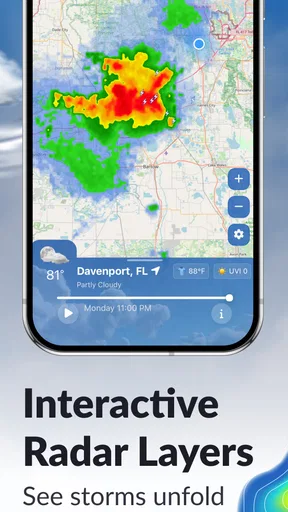
The radar is most helpful when I use it to understand movement and context, rather than treating one screen as a guarantee. A patch of precipitation near home may matter little if I am staying inside, but it becomes relevant when I have a school pickup, commute, or walk coming up. I check the forecast alongside the radar and leave room for conditions to change. That is a more useful habit than making a firm plan from a single glance.
Turn forecasts into a workable routine
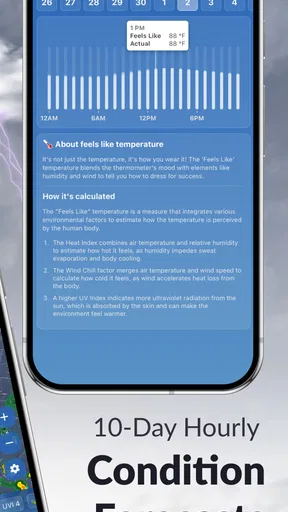
For an ordinary day, I would check the forecast once while planning and again before leaving if weather could affect the trip. The hourly view can help me choose between two possible times for an errand or outdoor activity. For plans further out, the seven-day forecast is a guide for rough scheduling, not a promise about the exact hour conditions will hold. I would avoid booking something weather-sensitive on the assumption that a forecast several days away will remain unchanged.
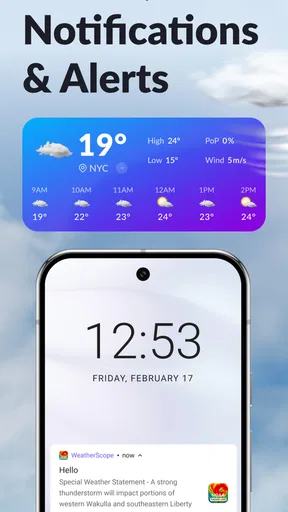
Alerts make more sense when they are matched to a real need. Someone who regularly travels in winter might want snow-related notifications, while a person who rarely goes outside during storms may prefer fewer interruptions. Customization is valuable because a phone that buzzes for every condition soon trains its owner to ignore it. I would start with the alerts that could change what I do, then adjust if they prove too frequent or not useful enough.
What the extra detail is good for
Beyond temperature and precipitation, the app includes humidity, wind speed, and pressure. Those details can answer different practical questions: wind can affect a bike ride or a picnic, while humidity may help explain why a warm day feels uncomfortable. I would not use every reading every day, but having them available is useful when the basic forecast does not explain how conditions are likely to feel.
Historical weather information has a different role from a live forecast. I find it more useful for comparing seasons or satisfying curiosity than for deciding what to wear today. Likewise, the radar and hurricane tracking can help me follow developing weather, but a map is only one part of staying informed. If a storm could put people or property at risk, I would also pay attention to relevant local authorities and emergency guidance rather than relying on an app alone.
Worth Reading Before You Choose

EA SPORTS FC Mobile 26 Is a Bigger Football Game, but It Takes Time

Flipboard Shows What News Apps Must Do Beyond the Feed

Switching to Android Auto Means Rethinking Your Driving Routine

Google Calendar Makes a Crowded Week Easier to Manage

Ludo King Makes the Most of the Minutes Between Plans

Baby Panda World Brings Quick Play to Modern Phones, but Its Game Library Feels Busy
Where it fits—and where it does not
Weather Scope is a better fit for people who like to inspect conditions, use radar, or tailor alerts than for someone who wants only a temperature on the home screen. It has a 4.6 average from around 3.9 thousand ratings, and more than 100 thousand installs. The app is rated for Everyone, and its current version is 3.8.0. It is free to install, with in-app purchases ranging from $8.99 to $69.99 per item, so I would check the purchase details before choosing anything beyond the free experience.
Compared with a simple built-in weather app, this one puts more emphasis on radar and weather-specific tools, which is useful if I want to inspect a system rather than just read a daily high and low. The trade-off is that extra detail can take more attention. If I mainly want a compact forecast with minimal setup, the phone’s default weather app may be the easier choice. If I need highly specialized professional forecasting, I would look for a service designed for that job rather than assume a general consumer app covers every operational need.
First Impressions
Opening up the Weather Scope NOAA Live Radar app for the first time, I was greeted with a sleek and user-friendly interface. The design is clean, and the colors are easy on the eyes, which is a big plus if you’re constantly checking the weather throughout the day. The app loads quickly, and the navigation is pretty intuitive, making it easy for even the least tech-savvy among us to get the hang of it.
Features Galore
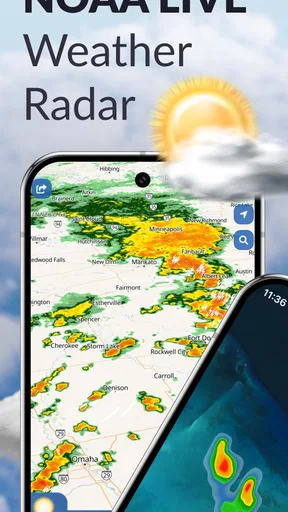
Let’s talk features, because this app is packed with them. Right off the bat, you get access to real-time weather updates, which is fantastic if you’re planning a trip or just need to know if you should grab a raincoat. The radar imagery is detailed and provides a clear picture of what’s happening weather-wise in your area.
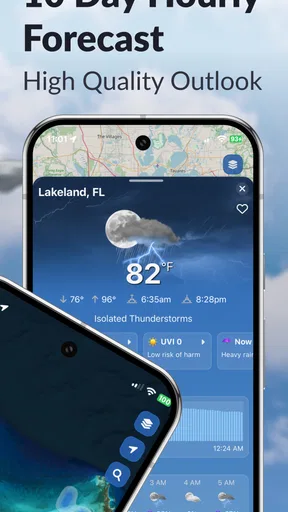
One standout feature is the customizable alerts. You can set the app to notify you about severe weather conditions, so you’re never caught off guard. Plus, there’s a handy hourly forecast that gives you a detailed breakdown of the day ahead. It’s perfect for those who like to plan their day down to the last detail.
Beyond the Basics
Now, one thing that impressed me was how comprehensive the data is. You’re not just getting the basics like temperature and precipitation; the app also provides information on humidity, wind speed, and pressure. It’s like having a mini weather station in your pocket.
The app also offers a 7-day forecast, which is super helpful for planning ahead. I found this particularly useful for scheduling outdoor activities or trips. There’s even a neat little feature that lets you view historical weather data, which can be fun if you’re curious about past weather patterns.
Make the information useful on the move
A realistic workflow for a day with changeable weather starts at home. I would check the forecast before getting dressed, then use the radar again before leaving if rain or a storm could affect the route. If I am heading to a different part of town, I would make sure I am looking at the place I am actually going, not just the conditions around my starting point. That small check matters: weather can vary across a journey, and a local view is not automatically a travel forecast.
For a family outing, I would use the hourly forecast to compare possible start times, then keep a backup plan in mind instead of treating the first choice as fixed. If the radar suggests precipitation may be relevant, I can decide whether to bring rain gear or shift the activity. The app helps organize that decision, but it cannot make an outdoor plan weatherproof. I would still keep essentials handy when the consequences of being caught in bad weather are more than a minor inconvenience.
There is also a handoff between the app and the rest of a person’s routine. A forecast can prompt me to tell someone plans have changed, leave earlier, or check conditions again before a longer trip. For a serious weather threat, the handoff should go to authoritative local warnings and practical safety steps, not just another refresh of the radar. That distinction is important because a useful consumer forecast is not the same thing as an emergency-management service.
Alerts, location choices, and a little restraint
One practical way to make customizable alerts more useful is to think about where and when a notification would change your behavior. A snow alert may be valuable if you need to plan a commute, but less so if you are not travelling and can check conditions later. I would avoid turning on every available notification at once. A smaller set tied to real decisions is easier to notice, and it reduces the chance that important information gets lost among routine updates.
If I am planning around more than one place, I would deliberately check the destination before acting on a local forecast. Home conditions do not tell me what the weather will be at a relative’s house or at an outdoor venue. This sounds obvious, but it is an easy mistake when an app is opened quickly out of habit. The most reliable workflow is to confirm the location, scan the relevant time period, and then decide whether I need to change the plan.
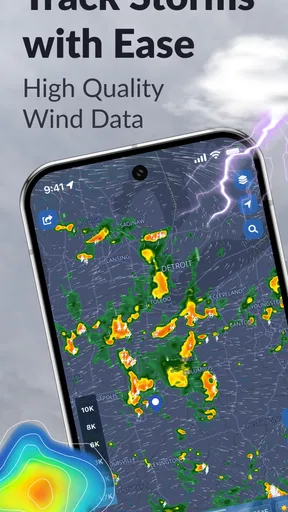
The NOAA-oriented radar focus is a particular reason to consider this app, especially for people who find a visual map more informative than a line of forecast text. Still, radar is not a substitute for knowing what a warning means or what action is appropriate. When conditions are severe, I would use official local guidance for decisions about shelter, travel, and safety. The app can support awareness; I would not make it my sole source for high-stakes calls.
Who will appreciate the extra controls
I can see this working well for commuters who want to check conditions before choosing when to leave, people who spend time outdoors, and users who are genuinely curious about how weather is developing. The snow-alert option gives it a useful angle for winter planning, while radar and hurricane tracking make it more than a plain daily-temperature display. It is also a reasonable choice for someone who prefers to explore the information rather than have a forecast reduced to a single icon.
On the other hand, I would skip it if I wanted nothing beyond a fast glance at the temperature and chance of rain. A default app may be simpler, already familiar, and sufficient for that routine. I would also avoid treating it as a specialist tool for aviation, marine operations, or emergency response simply because it includes radar and weather detail. The right app depends on the cost of being wrong: casual planning calls for convenience, while safety-critical decisions call for services and procedures built for that level of responsibility.
The app is free, but in-app purchases are available, with individual items priced from $8.99 to $69.99. That range makes it sensible to pause before buying and check what a particular purchase includes and whether it addresses a need you actually have. If the free features already cover your routine, there is no reason to spend just because an upgrade is offered. Weather tools are most valuable when they fit a concrete habit, not when they add more screens to check.
User Experience
The overall user experience is smooth and hassle-free. I didn’t encounter any bugs or glitches, which is always a relief. The app runs seamlessly on both Android and iOS, and I appreciate that it doesn’t drain my phone’s battery like some other weather apps tend to do.
Another thing worth mentioning is the app’s compatibility with other devices. It works great on tablets, and there’s even a widget you can add to your home screen for quick access to the weather. It’s clear that a lot of thought has gone into making this app as versatile and user-friendly as possible.
A sensible way to judge it over time
Rather than deciding after one glance, I would try it through the kinds of days when weather genuinely affects my plans. Check whether the forecasts help with ordinary timing, whether the radar is easy to interpret, and whether alerts arrive in a way that is useful rather than distracting. A few days of routine use will reveal more than opening every screen once, because the real test is whether the information changes a decision for the better.
On Android, the minimum operating system requirement is 8.0, so it is worth checking compatibility before installing on an older device. The app was released on May 23, 2023, and its current version is 3.8.0. Those details are useful context, but the most important practical question is still whether it works with the phone and forecast habits you already have. I would also make sure the widget, if I choose to use it, shows the information I need at a glance; a home-screen shortcut is only helpful if it saves time rather than becoming another thing to manage.
Final Thoughts
So, is the Weather Scope NOAA Live Radar app worth downloading? In my opinion, absolutely. It’s a robust tool for anyone who likes to stay informed about the weather. The real-time updates, coupled with the detailed radar imagery and customizable alerts, make it a valuable resource.
Whether you’re a weather enthusiast or just someone who wants to know if it’s going to rain tomorrow, this app has something to offer. It’s easy to use, packed with features, and won’t leave you frustrated with clunky performance. So go ahead, give it a try, and see if it becomes your go-to weather app. Happy forecasting!
Pros
- Accurate weather updates in real-time.
- User-friendly interface with easy navigation.
- Customizable weather alerts for safety.
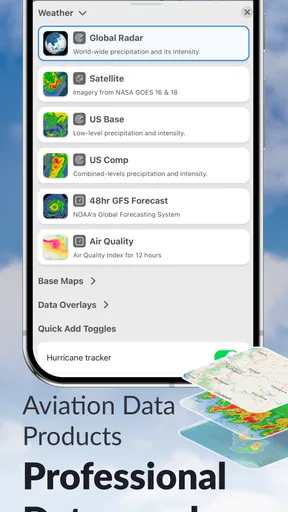
- Detailed radar maps with multiple layers.
- Supports multiple locations for tracking.
Cons
- Ads can be intrusive during use.
- Requires internet for real-time updates.
- Limited features on the free version.
- Some features may drain battery quickly.
- Occasional freezing on older devices.
FAQs for Weather Scope NOAA Live Radar
What features does Weather Scope NOAA Live Radar offer?
Weather Scope NOAA Live Radar provides real-time weather updates, including live radar maps, storm tracking, and severe weather alerts. Users can also access detailed forecasts, temperature trends, and precipitation levels. The app offers customizable notifications to keep users informed about changing weather conditions, ensuring they are prepared for any situation.
Is Weather Scope NOAA Live Radar free to use?
Weather Scope NOAA Live Radar offers a free version with basic features, including live radar and general forecasts. For advanced features like ad-free experience, extended forecasts, and additional map layers, users can opt for a premium subscription. This subscription enhances functionality and provides a more comprehensive weather monitoring experience.
How accurate is the weather data provided by Weather Scope NOAA Live Radar?
The app uses data from NOAA (National Oceanic and Atmospheric Administration), ensuring high accuracy and reliability. NOAA is a trusted source for weather information, and the app continuously updates its data to provide users with the most current weather conditions. This makes it a reliable choice for those needing precise weather forecasts.
Can I customize the alerts and notifications in Weather Scope NOAA Live Radar?
Yes, Weather Scope NOAA Live Radar allows users to customize alerts based on their preferences. You can set notifications for severe weather warnings, rain alerts, temperature changes, and more. This feature ensures you receive timely information tailored to your needs, helping you stay prepared for any weather condition.
Does Weather Scope NOAA Live Radar support multiple locations?
Weather Scope NOAA Live Radar supports multiple locations, allowing users to monitor weather conditions in various areas simultaneously. This feature is particularly useful for travelers or those with family in different regions. Users can easily switch between locations to get detailed weather updates for each area they are interested in.


